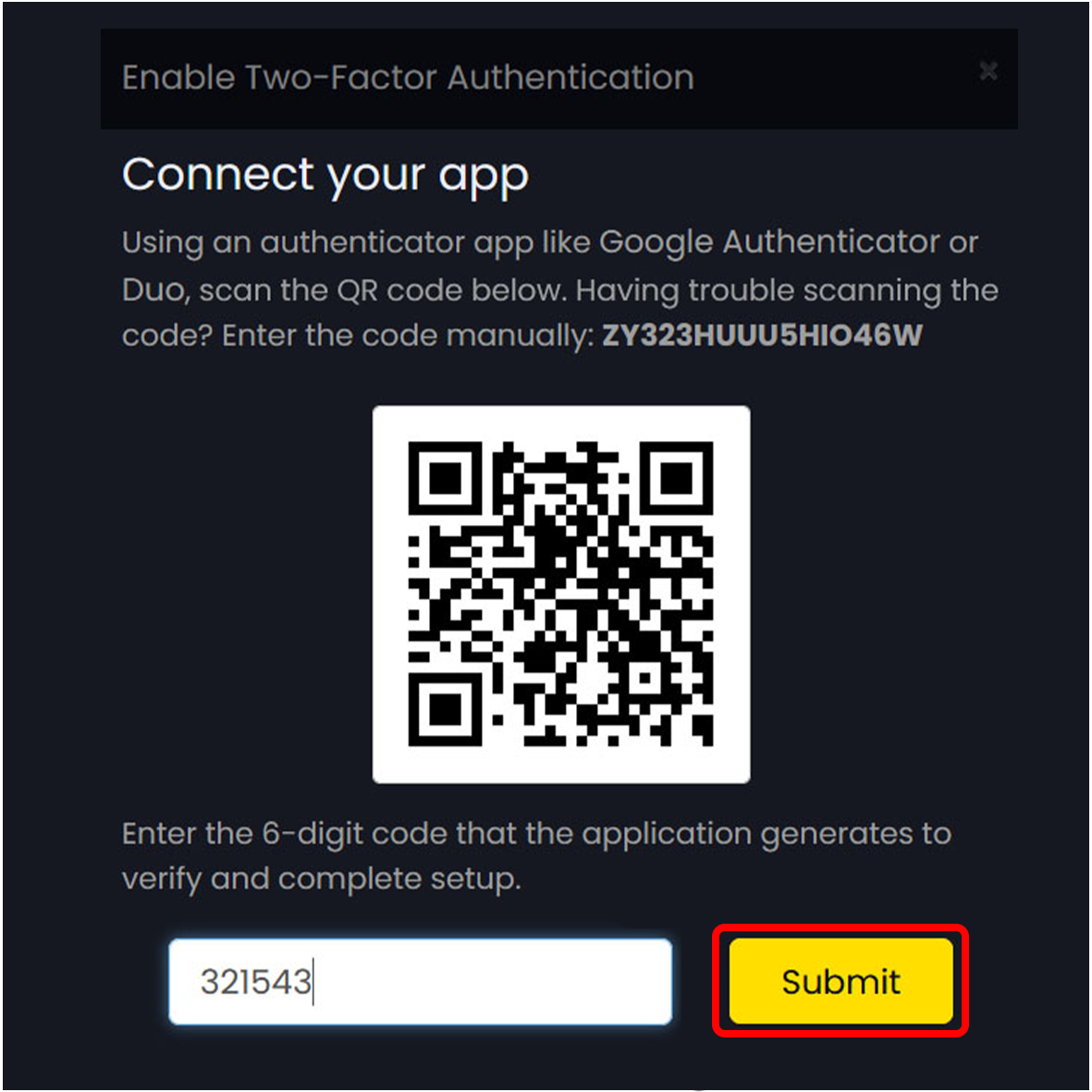
When it comes to our 2FA security, you can utilize Google Authenticator, Microsoft Authenticator or similar OTP authenticator applications that can read a QR code.
The process for installing the Google Authenticator App on your Smart Phone/Device would depend on the device you are using.
For Android/Windows Mobile users you would need to access the Google Play Store while for Apple Users, you would need to go to the
Apple App Store.
Once Google Authenticator is installed on your Smart Phone/Device, you then need to:
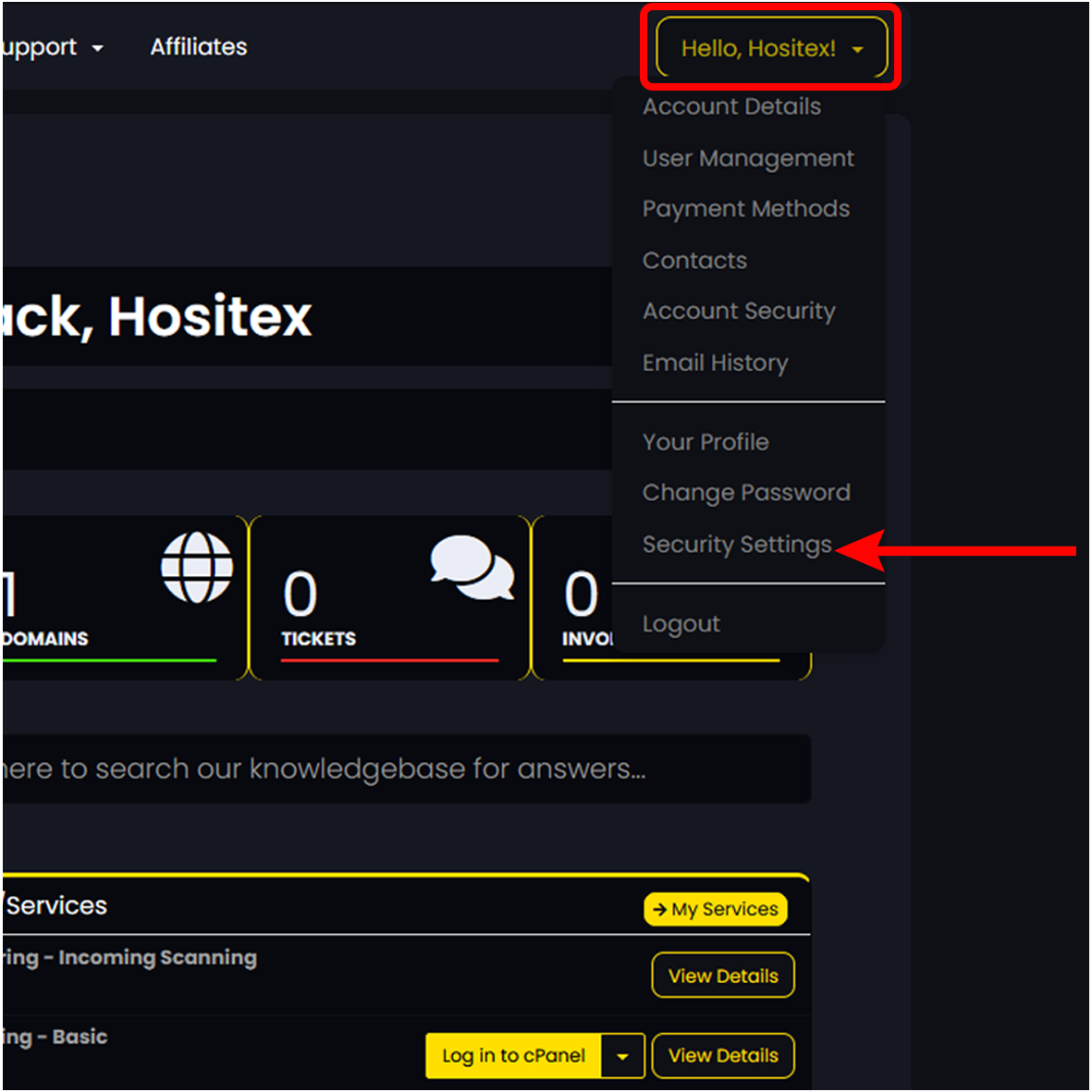
1. Login to your Hositex client area and expand the Hello dropdown on the Right Menu and click on Security Settings.
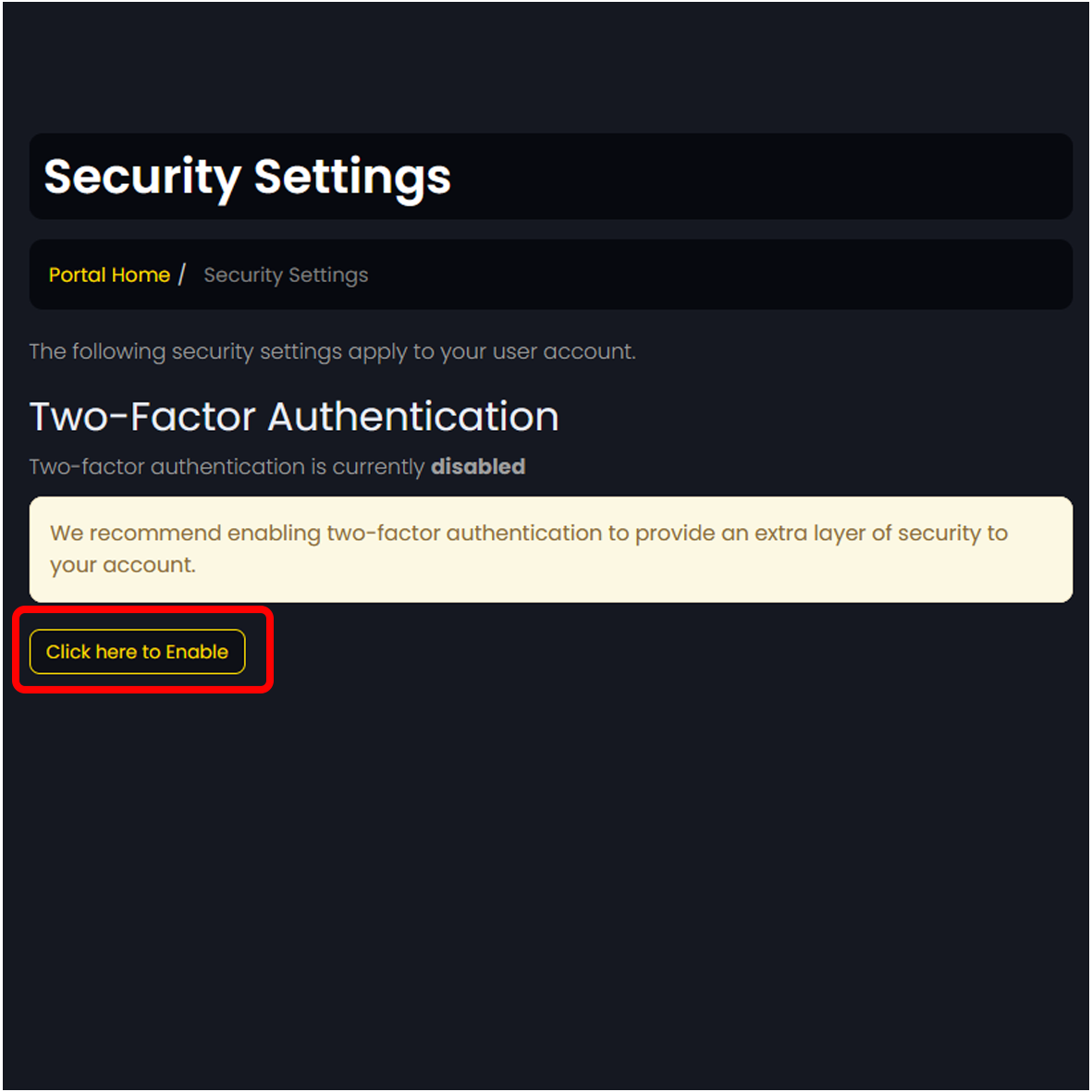
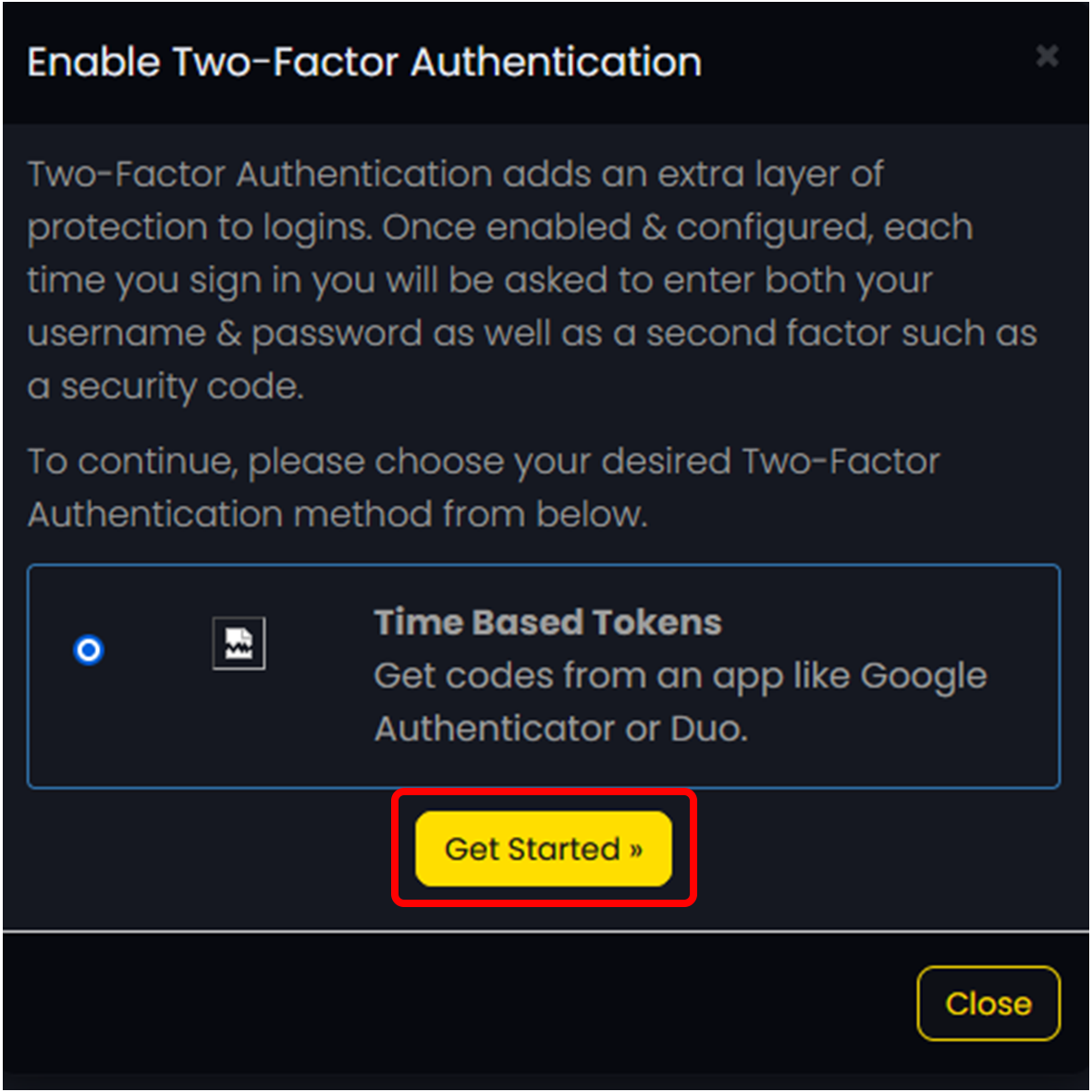
2. Click on the button to Enable your Two-Factor Authentication and click on the Get Started button to generate your 2FA QR Code.
3. Open Google Authenticator on your Smart Phone/Device and Scan the provided QR Code.